Contents
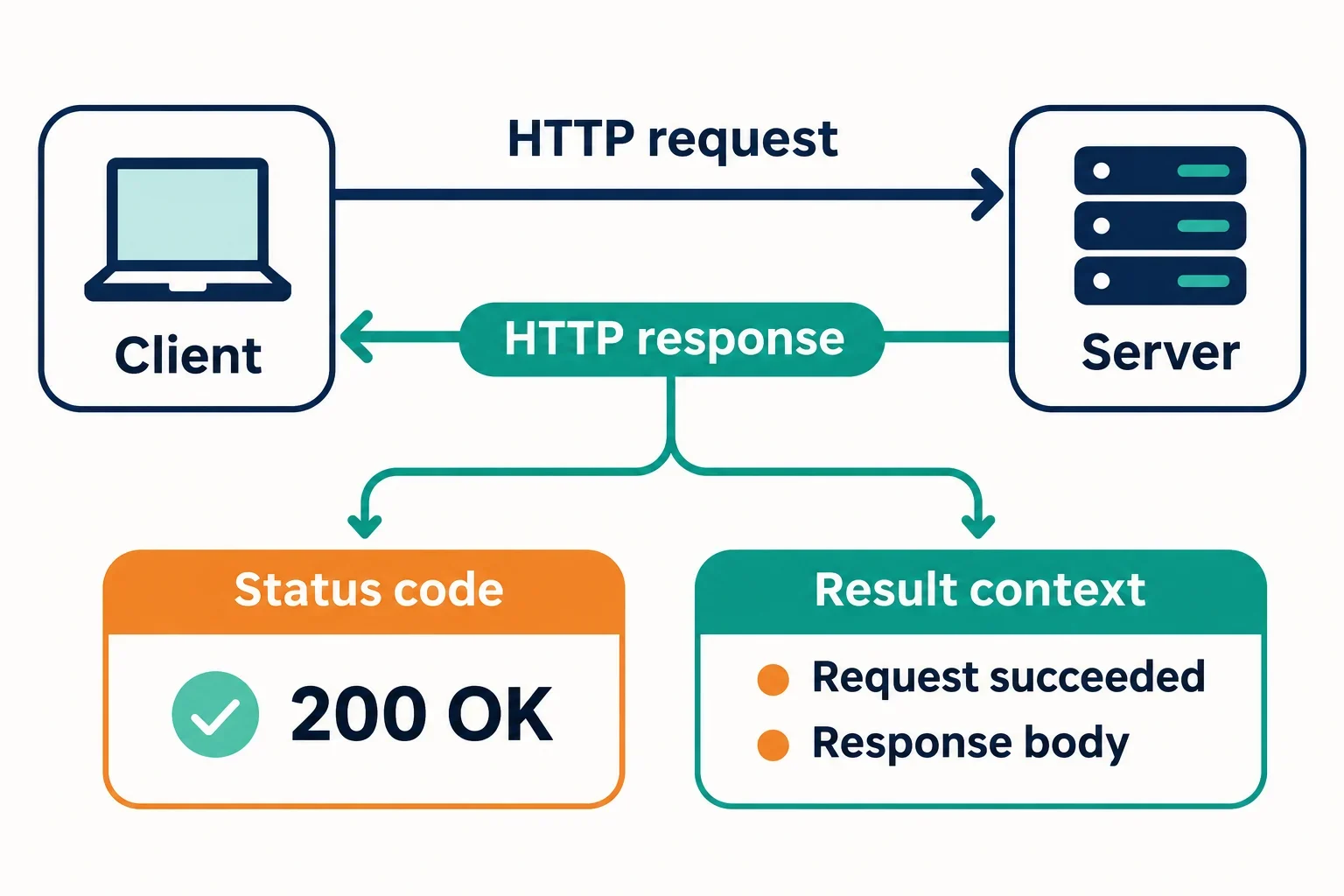
Checking a website’s URL and seeing “200 OK” can feel like proof that everything is working. For a beginner, that single status code is tempting to turn into a broad recommendation: the page is live, the content is correct, and the site will keep working. The truth is narrower. A successful HTTP response proves only that the server received, understood, and accepted the request at that moment under the method used. It does not prove tomorrow’s availability, search visibility, visual rendering, or business-readiness.
This article uses sitecheckbench.top’s URL-status workflow as the practical context. It separates one on-demand server observation from ongoing site health so that beginner reviewers can report status accurately without overstating guarantees. You will learn what the tool input and output cover, what 2xx status codes mean by protocol definition, what limits apply to any single response, how to make cautious decisions from one observation, and how to connect the check to sample reporting for a client handoff.
What the tool input and output cover
The URL-status tool lets you enter a web address and see the server’s immediate response to that address. It checks the HTTP status and follows the redirect path for added URLs. The result is not a promise that the page will keep working; it is a single observation recorded at one moment in time.
To run a check, you supply the URL you want reviewed. The tool then contacts the target server using a standard HTTP request, records what the server returns, and follows any redirect chain to the final address if one exists. Each observation includes its result, timestamp and context, so you know exactly when and under what conditions the check happened. You can compare that timestamped result against later checks if you want to track changes.
This tool is separate from other capabilities such as viewport review, SEO audit, performance measurement, security-header review, uptime monitoring, responsive preview, and white-label reporting. The viewport tool reviews a public page in common viewport sizes and offers a direct link when embedding is blocked, but that is a different kind of observation from an HTTP status check. Knowing which tool produced which result prevents you from mixing a status observation with layout, speed, or search-readiness conclusions.
When you read the output, look for the status code, the final address after redirects, the result, the timestamp, and the surrounding context. These fields tell you what the server said at that instant, not whether the content is accurate, accessible to search engines, or ready for visitors tomorrow. If you are preparing information for someone else, treat the check as evidence of one server interaction and label it accordingly rather than presenting it as a site health certificate.
If you need to verify a current result yourself, repeat the check through the same URL-status workflow and compare the new result, timestamp, and redirect path with the earlier observation. This gives you a repeatable starting point before deciding what to report or investigate further.
What a successful HTTP response proves
A successful HTTP response means the server answered the specific request made at that moment, not that the site is permanently working. In HTTP terms, a 2xx status code shows the request was received, understood, and accepted by the server.
The guarantee depends on the method used:
- For GET, a successful response means the resource was fetched and transmitted in the message body.
- For POST, it means an action succeeded and the response includes a message body describing the result.
- For HEAD, it means representation headers were returned without any message body.
The observation includes its result, timestamp, and context, so it is a point-in-time report about one request path. It does not confirm that images inside the page loaded, that scripts ran correctly, that search engines can index the page, or that the same URL will respond identically tomorrow.
A beginner reviewer should therefore describe the result narrowly: “The server returned 2xx for this request at this time,” rather than “the page works” or “the site is healthy.” That distinction keeps client reports honest and prevents a single status check from being mistaken for ongoing monitoring.
What a successful response does not prove
A successful HTTP response says something useful about one moment, but it does not make any guarantee about what will happen next. A 2xx status means the observed request was received, understood, and accepted at that time; it does not promise the server will respond the same way tomorrow or to any future visitor.
Availability and reliability
A single check does not prove that the page will load successfully tomorrow, next week, or during a traffic spike. Server outages, code deployments, network issues, traffic surges, expired certificates, or changes to dependencies can all interrupt availability immediately after a successful observation. URL-status results should therefore be reported as snapshots, not as uptime guarantees.
Content quality and correctness
A 200 OK response for a GET request indicates that a resource was fetched and transmitted in the message body, but it says nothing about whether the content is accurate, complete, current, or appropriate. A page can return successfully while showing outdated information, broken layouts, missing images, or an error message embedded in the body.
JavaScript, search readiness, and indexed visibility
Successful HTML delivery does not prove that JavaScript content works or that search engines can access the page. Search-readiness checks cover returned HTML only. JavaScript-rendered content, robots.txt rules, and search index status are outside a basic URL-status check, so a successful response should not be interpreted as proof of search visibility.
Performance and user experience
Latency, body size, and caching headers are measurements attached to one response. They are not Lighthouse scores, Core Web Vitals, or browser load-time tests. A fast status observation does not prove good real-world performance, responsive behavior across viewport sizes, or an accessible experience for all users.
Origin versus intermediary
A 2xx response may come from a proxy, content delivery network, or cache rather than directly from the origin server. Success therefore does not prove that the origin itself is healthy or that every user will receive the same path.
Future behavior
Because HTTP status is tied to a specific request and moment, one observation cannot support claims about scheduled maintenance tolerance, consistent behavior across devices, or the success of actions performed by other clients.
Reporting limits
When exporting a single URL-status observation for a client, avoid describing it as certification, endorsement, or proof of ongoing health. Present the result, timestamp, and context together, explain that it reflects one check, and recommend repeat checks or additional tools before making broader recommendations about availability, performance, or search readiness.
Decisions to make from one observation
A single successful HTTP response is a point-in-time observation, not a standing availability guarantee. Before turning that result into a recommendation, decide what you are communicating and how long it applies.
First, distinguish the moment from the future. A 2xx status proves that, at the checked timestamp, the server received, understood, and accepted the request. For a GET request, the response body contains the fetched resource. For HEAD, headers are included without a message body. This does not mean the page will respond tomorrow, next week, or during peak traffic. Treat any future availability claim as unverified.
Second, decide what the result is good for. You can report whether the observed URL returned a successful status and whether redirects were followed, along with the observation timestamp and context. You can use that observation as one input in a larger review. You should not use it as proof of search readiness, Core Web Vitals, Lighthouse scores, browser load-time performance, JavaScript rendering, robots.txt handling, or index status. Latency, body size, and caching headers are response measurements, not user-experience scores.
Third, decide how to phrase the handoff. A cautious report might say: “At [timestamp], URL X returned HTTP 2xx after following redirects. This observation covers the server response at that time only. It does not confirm future uptime, page completeness, or search visibility.” If reporting on a client site, note that one successful check cannot support a service-level claim.
Fourth, decide what to check next if more confidence is needed. Repeat observations across different times can show patterns, but each remains an isolated protocol result. Separate checks such as responsive preview, security-header review, or performance measurement address different questions and should be described by their own results rather than folded into the URL-status finding.
Finally, match the claim to the evidence. If the observation includes redirect path details, report those as observed redirect behavior, not as a permanent routing configuration. If the timestamp is included, reference it so the reader knows how old the evidence is.
Before sharing the result with a client or stakeholder, ask: what exact status did the server return, when was it observed, and what am I allowed to conclude from that single response? The safest conclusion is narrow: the request succeeded at that moment. Everything else requires a separate observation or explicit disclaimer.
Sample workflow for reporting
A beginner reviewer can turn a single URL-status observation into a clear client report by following a consistent sequence rather than treating one result as proof of ongoing health.
Start with the URL-status input
Enter the page URL into sitecheckbench.top’s url-status-check tool. The tool checks HTTP status and follows the redirect path for added URLs. Each observation includes its result, timestamp, and context. Record the final status code, the redirect chain if any, and the time shown with the observation so the report describes exactly when the check happened.
Interpret only what the result supports
If the tool returns a 2xx response, report that the request was received, understood, and accepted at that moment. For GET, state that the fetched resource was transmitted in the message body at check time. Avoid saying the page will load tomorrow, that search engines can index it, or that all visitors see the same content.
Use companion tools for additional context
To report how a page appears across devices, use sitecheckbench.top’s responsive-preview tool. It reviews a public page in common viewport sizes and offers a direct link when embedding is blocked. This is separate from the HTTP status check and provides visual context, not server availability proof.
Export with careful framing
When preparing a client handoff, describe the observation as a point-in-time status, not a guarantee. Include the URL, status result, timestamp, and any redirect path observed. If speed or search-readiness matters, clarify that latency and body size are response measurements; they are not Lighthouse scores, Core Web Vitals, or browser load-time tests. Search-readiness checks cover returned HTML only and do not confirm robots.txt handling, JavaScript rendering, or index status.
Client handoff notes
Use white-label-report where available to present findings under your own framing. Label the section as a single-check status report and recommend recurring checks if uptime matters. Do not imply continuous monitoring, scheduled retesting, or service-level guarantees based on one observation.
Reader checkpoint
Before sending the report, verify that each claim matches the recorded observation and that no future availability or quality claim has been added without separate evidence.