Contents
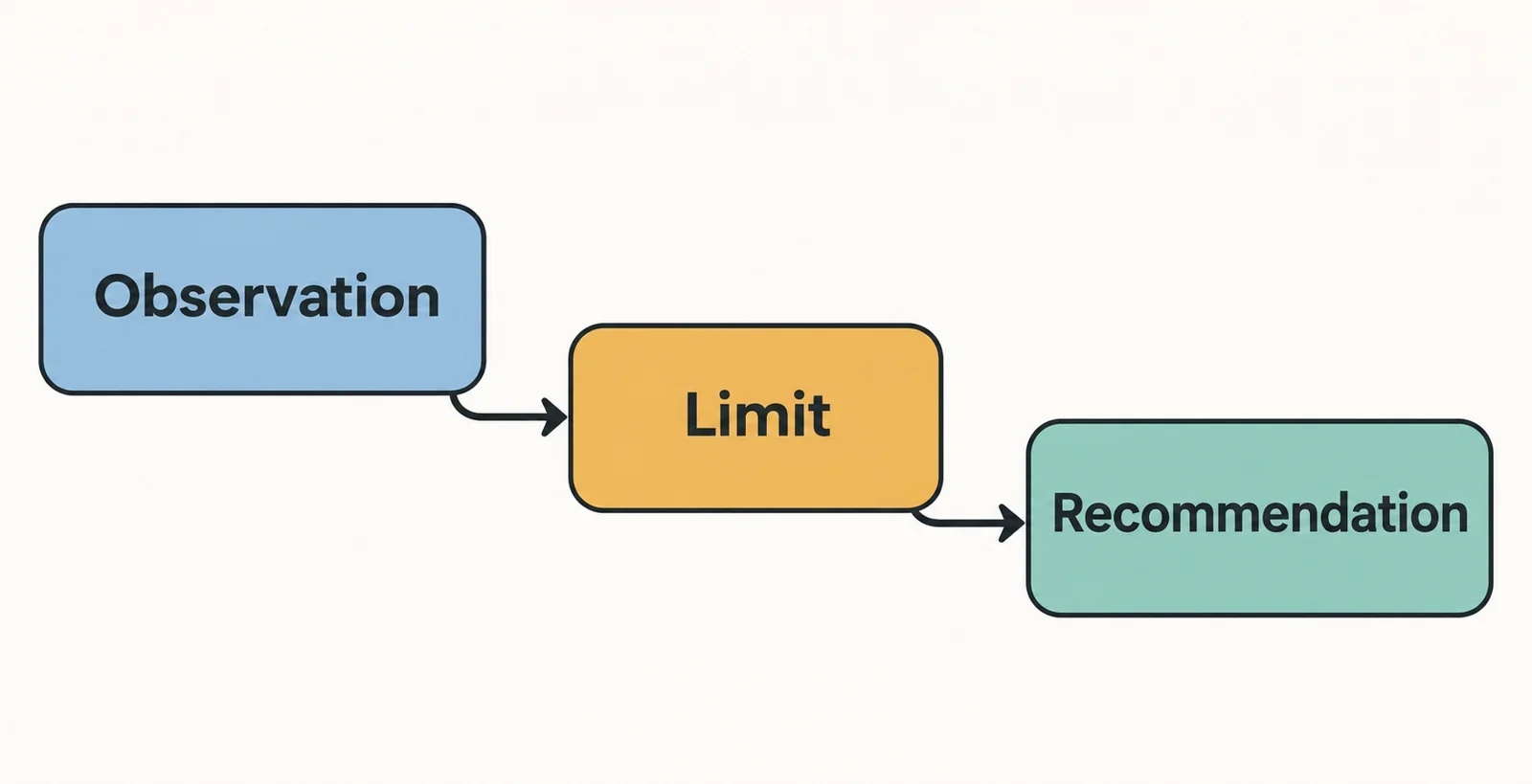
An accessibility audit works best when auditors separate what they observe from formal requirements and from recommendations for fixing problems. This guide outlines a workflow for reviewing websites that distinguishes raw evidence, established limits such as WCAG requirements, and actionable remediation steps. It also covers how to define the audit scope, combine automated tools with manual keyboard and focus checks, and include essential tester and product metadata in an accessibility test report. The following sections walk through each stage so beginners can document findings without treating automated results as definitive conformance claims.
Defining the Audit Scope and Baseline
Before running any accessibility checks, an auditor must define exactly what will be tested. The scope sets the boundary for the entire review and determines whether findings can be compared meaningfully to standards and repeatable test rules. Without a documented baseline, automated results and manual observations cannot be interpreted consistently.
Product identification should begin with the product name, the specific product version under review, and a short description of what the product does. These details anchor the audit so that later reports clarify which release was evaluated rather than leaving readers to assume the findings apply to the current live site.
The page sample should name representative templates and high-traffic paths, such as homepages, account dashboards, checkout flows, forms, and content pages. If only part of a website is included, the report should say so explicitly. Viewports matter because reflow and touch targets can change at different screen widths, so the baseline should list the browser and viewport combinations to be tested, including common desktop and mobile sizes.
User roles and authentication states must be specified. A public homepage may behave differently from a logged-in dashboard, and content behind a login wall may expose additional controls, error messages, or modal dialogs. Interaction states such as hover, focus, expanded menus, error validation, and keyboard-only navigation should also be part of the baseline because barriers often appear only when a control is activated.
Environment details should accompany every test session. At minimum, record tester names, organization or vendor name, contact email and phone, tester credentials such as a Trusted Tester ID where applicable, operating system, browser versions, assistive technology used, and the date of testing. This metadata lets readers judge whether the baseline conditions match their own environment.
If the team plans to run automated checks alongside manual review, the scope statement should identify which tools will be used and which pages will receive manual verification. Simplified audits commonly cover a small sample of pages using primarily automated testing combined with quick manual checks, while more comprehensive audits expand page coverage and manual inspection. The choice should be recorded up front so results are not overstated later.
When scope or baseline details are unavailable, auditors should treat them as open questions before testing begins: ask which templates are in scope, which user roles must be reviewed, and which environments will be documented. Turning missing details into confirmed scope items prevents the audit from drifting and keeps observations traceable to the conditions under which they were collected.
Differentiating Observations from Requirements and Rules
A reliable accessibility audit begins by separating what was seen from what must be fixed and how it was tested. An observation is an empirical record of a user-facing barrier, such as a form field without a visible label, a button that cannot be activated with a keyboard, or content that overlaps when page text is enlarged. Observations describe what a person can encounter without immediately declaring a legal or standards violation.
A formal requirement is an obligation set by an accessibility standard, such as a Web Content Accessibility Guidelines success criterion or a Section 508 provision. Requirements state the expected outcome for people with disabilities, but they do not by themselves prove that a specific page failed until an evaluator connects observed evidence to the applicable criterion.
A deterministic test rule is a precise instruction for evaluating a single condition. A rule might check whether every image has an alt attribute or whether contrast ratios meet a specified threshold under defined circumstances. Deterministic rules produce repeatable yes-or-no results, but their scope is limited to the conditions the rule was designed to measure.
An automated check is software execution of one or more deterministic rules across page code. Automated tools can identify missing attributes, heading-order problems, and some contrast failures efficiently. They cannot reliably judge whether alternative text conveys equivalent meaning, whether focus order matches the visual reading sequence, or whether a custom widget behaves predictably for assistive technology.
Because automated tools examine only what their rules are written to detect, passing an automated scan does not establish conformance, and failing one does not always mean a legal violation has occurred. Context matters: decorative images may appropriately have empty alt text, and a passing contrast ratio may still be unusable if text spacing or image scaling obscures the content.
Auditors should therefore record barriers in plain language, cite the specific requirement only when evidence supports it, list the test rule or manual method used, and flag any result that depends on human judgment rather than tool output. This separation keeps findings defensible and helps developers distinguish mandatory fixes from optional usability improvements.
Readers should verify which standard applies to their product and confirm the version of any test rule before treating a tool result as conclusive.
Executing Automated and Manual Checks
A practical accessibility audit combines automated scanning with targeted manual checks so that results reflect what real users may experience rather than only what a tool can detect. Automated checks can surface potential issues quickly across many pages, but they cannot judge context-dependent factors such as whether alternative text meaningfully describes an image or whether focus behavior supports a complete task. Manual evaluation should therefore follow automated scanning, particularly for keyboard navigation, focus management, page zoom, and content reflow.
Begin automated checks using a scanner configured for the pages and states identified during scope definition. Record the tool name, version, ruleset, target URLs, viewport settings, and date of each scan. Flag results that require human review rather than treating every automated hit as a confirmed barrier. For example, a missing label detection may indicate a real problem, while a color-contrast warning may depend on the surrounding design context that the scanner cannot fully evaluate.
Manual keyboard checks involve navigating each page without a mouse, using Tab, Shift+Tab, Enter, Space, arrow keys, and any relevant shortcuts. Verify that every interactive control can receive focus, that no keyboard trap prevents a user from leaving a component, that visible focus indicators appear consistently, and that focus moves in a logical order matching the visual layout. Document which pages and components were tested, which keystrokes were used, what was observed, and whether any element became unreachable or announced unexpectedly.
Zoom and reflow checks evaluate how content behaves when users increase text size or zoom the page. Confirm that text remains readable, content does not overlap or disappear, and interactive elements remain operable without requiring horizontal scrolling in a way that prevents access to functionality. Record the zoom percentages or text-size settings used, the viewport or device dimensions, and any layout breakdowns encountered. Reflow behavior should be assessed across the responsive breakpoints included in the audit scope.
Focus management checks should examine whether focus moves appropriately when modal dialogs open and close, when page sections load dynamically, and when users activate controls that change the current context. Record whether focus returns to a logical trigger element after a dialog closes and whether screen-reader-relevant updates are conveyed without requiring the user to hunt for new content.
When automated and manual findings overlap, align them in the same report entry so developers can see both the detector output and the observed user impact. Separate entries are still appropriate when a manual check reveals something no automated rule detected, such as an unclear heading structure or a custom widget that exposes no accessible name. Keeping environment details, tester observations, and tool outputs together supports reproducible remediation and avoids conflating tool behavior with conformance conclusions.
Structuring Findings into Observations, Limits, and Recommendations
A successful accessibility audit report turns raw testing data into three distinct layers: what the auditor observed, what limits apply to the test method or tools, and what developers should fix next. Keeping these layers separate prevents automated tool output from being mistaken for a final conformance determination and keeps usability preferences from being reported as mandatory failures.
Start with observable findings
Record each issue as an empirical observation rather than a compliance verdict. Note where the problem appeared, what assistive technology or interaction was involved, and who might be affected. For example, an observation might state that a modal dialog opened without moving keyboard focus into the dialog. That description is factual and testable. It does not yet assert whether the product passes or fails a specific standard; it simply documents what happened during testing.
Acknowledge limits explicitly
Automated checkers cannot evaluate every accessibility criterion. They can detect missing image alternatives or color-contrast issues in some cases, but they cannot judge whether alternative text is meaningful, whether focus order is logical for a particular task, or whether custom widgets behave predictably for screen-reader users. Manual spot checks also cover only a sample of pages and states unless the audit scope explicitly includes more. Report these constraints as limits so readers understand where coverage ends. If the testing environment, browser versions, assistive technologies, or page sample were constrained, state that clearly in the report.
Write precise remediation guidance
Recommendations should tell developers exactly what to change without inventing code that was not tested. Useful guidance references the affected element or component, describes the expected accessible behavior, and suggests verification steps such as keyboard-only navigation or screen-reader review. Avoid presenting a preferred design choice as a legal requirement. When a fix depends on further design decisions, flag it for review rather than asserting a single technical solution.
Include required report metadata
An accessibility test report should identify the product name, the specific product version under review, and a brief product description. It should also document tester names, the organization or vendor name, contact email and phone, and any tester credentials such as a Trusted Tester ID. Reporting conformance outcomes such as Supports, Does Not Support, or Not Applicable for each applicable standard gives stakeholders a consistent way to interpret results.
Compare simplified and detailed approaches
Simplified audits usually cover a small sample of pages and rely primarily on automated testing plus quick manual checks. They are useful for baseline screening but do not provide comprehensive conformance evidence. Detailed methodologies expand the page sample, include more interaction states, and combine deeper keyboard, focus, zoom, and reflow evaluations with manual assistive-technology testing. The report should state which approach was used so readers can judge the depth and reliability of the findings.
Useful reader checks
- Does each finding describe what was observed before stating a requirement?
- Are tool limitations and sampling limits disclosed in the report?
- Do recommendations name specific components and suggest verifiable fixes?
- Does the report include product identification, tester contact information, credentials, and outcome categories?