Contents
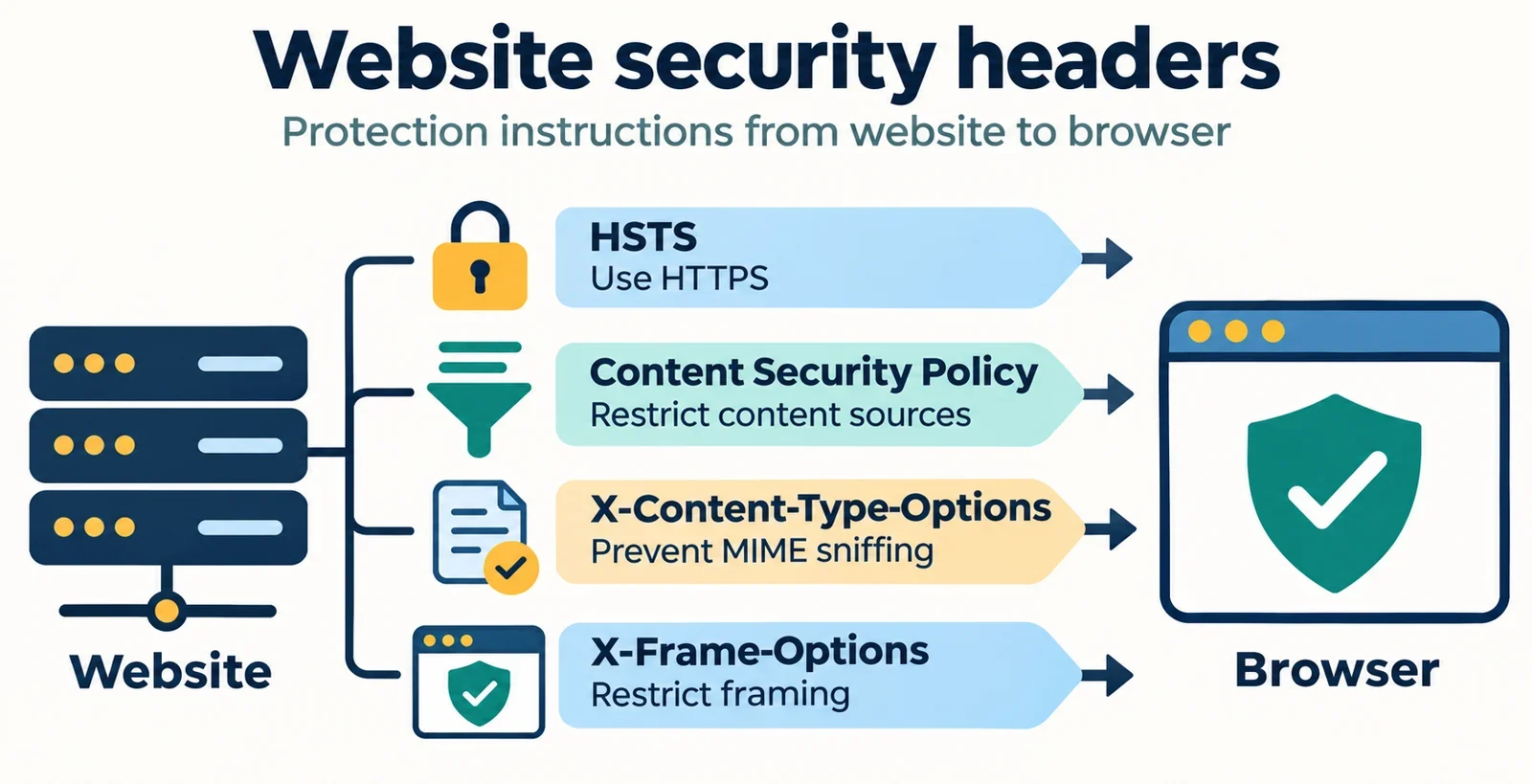
Website security headers are response instructions sent from a server to a browser. They do not replace secure coding, but they can shape how a browser handles page content, connections, frames, and content-type assumptions. For site operators who are new to security reviews, these headers offer a concrete place to start: they are visible in network traffic, do not require deep code changes to inspect, and can confirm whether intended protections are active.
This guide focuses on how headers communicate protection instructions and how a beginner can move from observing headers to making informed configuration decisions. It avoids naming specific platforms, products, or pricing, and treats header settings as something to verify before changing rather than assuming what is already in place.
Understanding Browser Protection and Security Headers
Security headers travel inside HTTP response headers, which accompany every page, image, script, or stylesheet a browser requests. Unlike visible page content, headers are metadata: they tell the browser how to behave before or while rendering the resource.
A header such as Strict-Transport-Security tells the browser to enforce HTTPS for future connections. X-Content-Type-Options, when set to nosniff, tells the browser not to assume or override a declared content type. X-Frame-Options controls whether a page may be embedded inside a frame or iframe on another site, which helps reduce clickjacking risk where a user is tricked into interacting with hidden page elements.
These instructions are only as useful as their implementation. A header present in a response does not guarantee complete protection, and an absent header does not mean a site is insecure. What headers do is provide consistent signals that browsers can choose to honor, subject to browser support and user settings.
For a beginner workflow, the first practical step is to treat headers as observable evidence. Before changing anything, an operator can check which headers are present, read their values, and compare them against intended security goals. This turns abstract concerns such as "is the site protected?" into specific questions such as "is HSTS active, and for how long?" and "does the site allow framing by external pages?".
When inspecting headers, focus on practical questions rather than assumptions. Look at each response and ask whether a security header exists, what value it carries, and whether that value matches the site’s protection intent. Record findings in a simple list before making changes. Comparing current values against goals creates a clear baseline and prevents accidental removal of protections already in place.
Browser behavior varies, so a header may work differently depending on the browser version and user settings. Operators should not treat a single header as complete proof of safety. Instead, use headers as one part of a broader review that includes checking how resources load, whether mixed content appears, and whether pages render as expected after changes.
Documentation should note which headers are present, their current values, and any planned adjustments. This record helps the next reviewer understand what was checked and why decisions were made. A simple spreadsheet or text file with columns for header name, value, intent, and status is enough to start.
Verification should happen after any configuration change. Reload the page, inspect the response headers again, and confirm the values match the intended setup. If a change causes rendering or loading problems, revert it and record what happened before trying another approach.
Readers asking whether a specific site uses these headers can inspect network responses directly through browser developer tools. Look for the response headers section and search for header names such as Strict-Transport-Security, X-Content-Type-Options, and X-Frame-Options. Values and presence may differ by page, so check multiple representative URLs rather than only the homepage.
Those wanting to confirm what a header value means should consult current browser or standards documentation rather than relying on general summaries. Header behavior can change over time, and official documentation provides the most reliable description of supported syntax and browser support.
When reviewing a site, avoid assuming that missing headers indicate a problem. Some sites intentionally omit certain headers because of how they are built or embedded. Treat each missing header as a question to investigate, not an automatic defect.
Practical workflow steps include listing the pages to review, capturing current header values, comparing them to security goals, making one change at a time, verifying after each change, and recording results. This sequence keeps the process manageable for beginners and reduces the risk of introducing unintended issues.
Core Security Headers for Beginner Workflows
The following headers are common starting points for a beginner review. Each one addresses a different aspect of browser behavior, and none should be adopted without first checking whether the site already sends it and what value it carries.
Strict-Transport-Security (HSTS)
Strict-Transport-Security, also known as HTTP Strict Transport Security, tells browsers to enforce HTTPS. When a browser receives this header over a secure connection, it remembers to use HTTPS for future visits to the site for a specified period. Operators should verify that the site supports HTTPS across all pages before enabling HSTS, because misconfiguration can lock visitors out if HTTP resources remain.
X-Content-Type-Options
When set to nosniff, X-Content-Type-Options tells browsers not to assume a content type. This means the browser should respect the Content-Type declared by the server instead of attempting to detect or guess the type. This can reduce risks where executable content is mistaken for a harmless file type. Before setting it, confirm that all served resources have accurate Content-Type headers so legitimate content is not blocked or misinterpreted.
X-Frame-Options
X-Frame-Options can defend against clickjacking by controlling how a site may be framed. It allows a site to indicate whether it can be embedded in frames by the same origin, by any origin, or not at all. Operators should decide whether their pages need to appear inside external frames before choosing a value, and check whether any legitimate partners rely on embedding the site.
Content-Security-Policy basics
Content-Security-Policy is more complex than the headers above. It lets a site declare which sources are allowed for scripts, styles, images, and other resources. A beginner workflow does not need a perfect policy on day one. A useful first step is to observe what resources the page currently loads, then draft a narrow policy and test it in report-only mode if the browser and server support that approach. Sudden strict policies can break legitimate functionality, so incremental testing matters.
Inspection workflow
A practical review follows these steps:
- Open browser developer tools and select the network tab.
- Reload the page and select the main document request.
- Inspect the response headers for Strict-Transport-Security, X-Content-Type-Options, X-Frame-Options, and Content-Security-Policy.
- Record each header name and value, or note that it is absent.
- Compare observed values with the site’s intended security goals.
- Change one header at a time in a staging or controlled environment, then re-inspect to confirm the browser receives the intended value.
Keeping review notes useful
Because headers are invisible to ordinary visitors, documentation matters. Recording which headers were present before changes, who approved the change, and what testing was performed helps the team respond if something breaks later. The record can also serve as a reference when a new team member takes over the review workflow.
How headers fit into broader site practice
Security headers are one layer among several protective measures. They do not replace secure coding, timely updates, or access controls. A beginner can treat header inspection as a recurring checkpoint alongside other site health checks, rather than a one-time setup task. If a header change causes unexpected behavior, reverting to the previously recorded value is often the fastest way to restore normal operation.
Common reader questions
- What should a beginner check before enabling HSTS?
Confirm that HTTPS works across all pages and subresources, since HSTS instructs browsers to use HTTPS for future visits. - Why test Content-Security-Policy incrementally?
A sudden strict policy can block scripts, styles, images, or other resources the page needs to function correctly. - What if a needed header is absent?
Treat its absence as a finding to investigate, not an automatic emergency; determine whether the site’s security goals require that header and whether changing it could affect legitimate visitors.