Contents
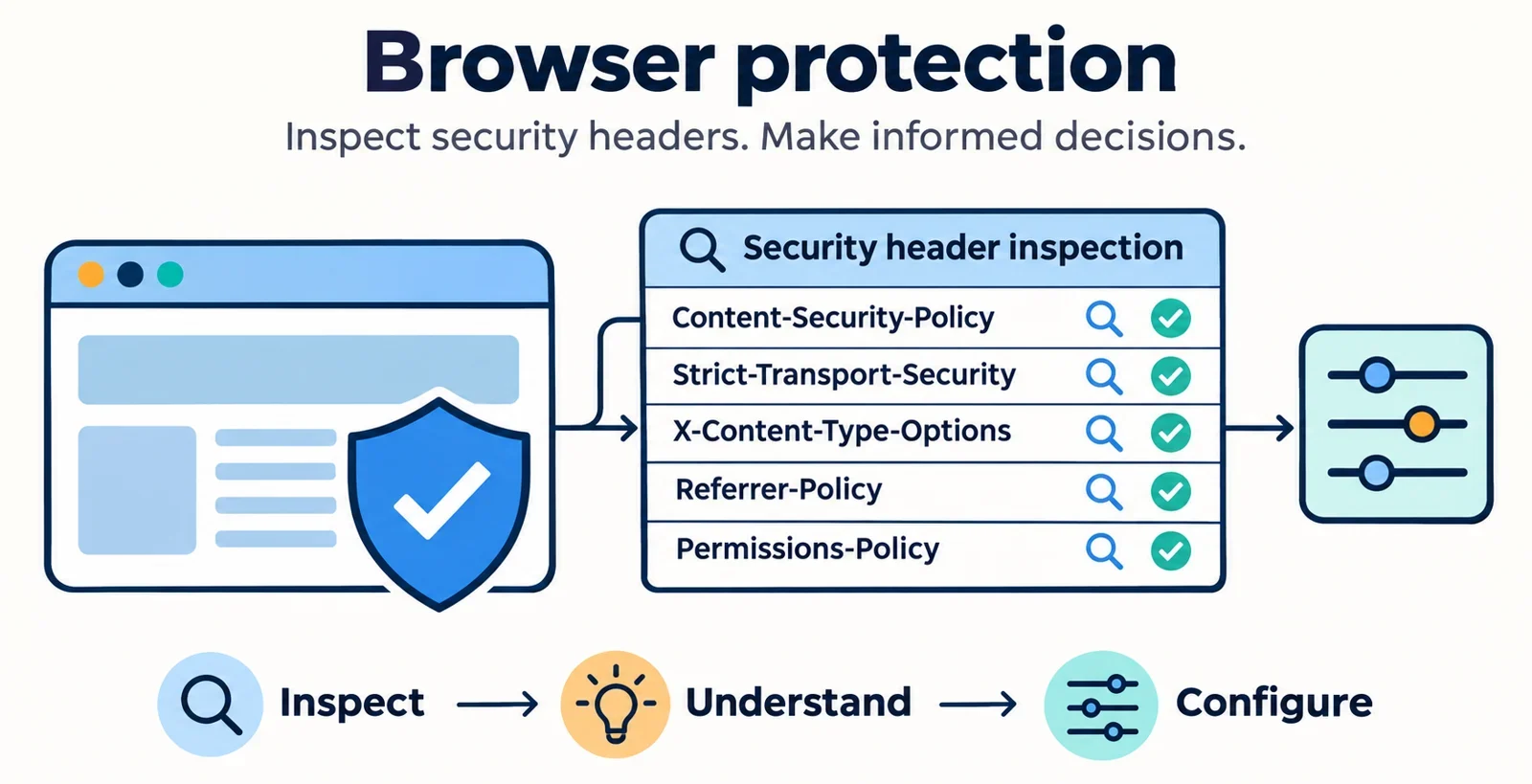
Security headers tell browsers how to handle pages, protect visitors, and reduce certain classes of attacks. Before changing any settings, readers need a reliable way to inspect what headers are present, what directives they contain, and whether those directives match intended policies. A presence check alone does not confirm correct configuration, and a scan result should not be presented as a complete vulnerability assessment.
This guide explains how to approach browser protection checks, turn observation results into manageable sequential tasks, and share findings through a design-system handoff that supports beginners and teams. Every recommendation treats available checking capabilities as observation inputs, not as proof of overall security. Readers should verify current tool behavior and official documentation before applying changes to live sites.
Browser Protection and Security Headers
Security headers are HTTP response headers that give browsers instructions about how to handle content, embedding, and connections. Common purposes include controlling whether a page can be framed, restricting content sources, managing referrer information, and enforcing secure transport. Because each header carries its own set of directives, checking for the header’s existence is only the first part of the review.
A browser protection check can surface which security headers are returned and show selected directives within them. This gives site owners a concrete starting point for informed configuration decisions. For example, a report might list a header and its directive values, allowing the reviewer to compare those values against intended policy goals.
Beginners often confuse presence with correctness. A header may exist but use a permissive directive, omit required values, or conflict with another header. Conversely, an absent header does not automatically mean a site is vulnerable; it simply means that particular browser instruction is not being delivered through that response header. Interpretation requires context about the site’s architecture, traffic patterns, and risk tolerance.
Reports generated from these checks can put findings into words, include brand or agency names, add watermarks, offer optional recommendations, and provide export options. These formatting features help communicate results clearly, but they do not turn a header inventory into a comprehensive vulnerability scan. Readers should treat the report as an observation record and seek authoritative guidance before declaring a configuration safe or unsafe.
To inspect headers practically, a reader can submit a page URL through a security-header checking capability, review the returned header list, and note which expected headers appear or are missing. The next step is to examine directive text rather than assuming that header presence equals protection. If a header appears with unexpected values, the finding should be recorded as a configuration question rather than an immediate remediation order.
Teams should also avoid comparing one snapshot to a general best-practice list without considering whether those practices apply to the specific site. Third-party scripts, embedded content, and authentication flows can all influence which headers are appropriate. The goal of this stage is documentation: what is present, what is absent, and what needs clarification.
Prioritizing the Next Safe Step
Once header observations are collected, the challenge becomes deciding what to change first. Changing too many headers at once can break embedded content, authentication flows, or third-party integrations. A sequential framework keeps changes manageable and reversible.
Start by grouping findings into three categories: headers present with directives matching intent, headers present but needing review, and headers absent where policy suggests they may be useful. Do not treat absence as an emergency. Treat directive mismatch as a higher priority because it may create a false sense of protection.
Next, estimate the blast radius of each potential change. Headers that control framing or content sources can affect iframes, embedded widgets, and CDN delivery. Headers that affect referrer behavior may influence analytics and outbound links. Changes with broad side effects should be scheduled for staging first, while informational or narrowly scoped headers may be safer to adjust in production.
Choose one header or directive as the next safe step. Define the expected outcome, the rollback method, and how success will be verified. For example, if adding a header, confirm the header appears in subsequent checks after deployment and that page functionality remains unchanged. If modifying a directive, compare before-and-after reports and test affected user journeys.
Document each decision in a simple log: the header reviewed, the observation, the proposed change, the staging result, and the production outcome. This log becomes the evidence trail for future reviews and prevents teams from repeating work or forgetting why a setting was chosen.
Avoid framing a single check result as a vulnerability scan. Header checking capabilities report on response headers; they do not test for exploitable flaws in application code, server configuration, or third-party libraries. If a reader needs a broader security assessment, they should consult dedicated security assessment resources rather than extrapolating from header data.
Prioritization should also account for team capacity. A beginner team may benefit from completing one small header change per review cycle rather than attempting a full header overhaul. Each completed step builds confidence and creates a repeatable pattern for the next iteration.
Design-System Handoff and Beginner Confidence
Raw security-header observations are useful for engineers, but they can overwhelm beginners, clients, and cross-functional teams. A design-system handoff translates those observations into consistent language, visual cues, and action items that non-specialists can understand and act on.
The handoff begins with a standardized report format. Reports can include brand or agency identification, watermarks, optional recommendations, and export options. Using a consistent layout means readers learn where to find the header list, directive notes, and recommended next step without relearning the document each time.
Visual design plays a role in confidence. Present present-but-review headers differently from missing headers, using clear labels rather than alarming terminology. Avoid words like "critical" or "vulnerable" unless a qualified security assessment has confirmed them. Instead, use neutral descriptors such as "present," "absent," "directive mismatch," and "recommended for review."
For beginners, include a plain-language explanation of what each header instruction asks the browser to do. Do not invent technical classifications or assume the reader knows directive meanings. Where a directive is unclear, the handoff should flag it as a verification item and suggest consulting official documentation or a security specialist.
Create a handoff checklist that covers: which URLs were checked, which headers were observed, which directives need clarification, which change is prioritized next, who will implement it, and how results will be verified. Assigning ownership prevents findings from stalling in translation between teams.
Export options support sharing with clients or external reviewers. A portable report lets stakeholders view findings outside the checking tool, which is useful for agencies delivering work to clients or for teams maintaining records across sprints. Watermarks and branding can clarify that the report comes from a specific observation event, not from an ongoing monitoring service.
Finally, set expectations about what the handoff represents. It communicates observed header states and proposed next steps; it does not certify that a site is secure. Clients and team members should understand that header configuration is one layer among many, and that safe progress comes from sequential, verified changes rather than one-time remediation.
Reader question
What should I do if a directive is unclear?
Flag it as a verification item in the handoff and consult official documentation or a qualified security specialist before making changes.
Reader question
Does a security-header report prove my site is secure?
No. It communicates observed header states and recommended next steps only; it is not a comprehensive security certification.
Comparison: observation language to avoid vs. use
| Language to avoid | Language to use | Reason |
|---|---|---|
| Critical | Present / Absent | Avoids overstating findings |
| Vulnerable | Recommended for review | Avoids unverified severity claims |
| Fix immediately | Prioritized next step | Supports sequential, manageable work |
Decision steps
- Standardize the report layout with brand or agency identification, watermarks, optional recommendations, and export options.
- Label each observed header as present, absent, directive mismatch, or recommended for review.
- Add plain-language descriptions of what each header asks the browser to do.
- Flag unclear directives as verification items.
- Complete the handoff checklist: URLs checked, headers observed, directives needing clarification, prioritized change, owner, and verification method.
- Export and share the report with stakeholders while clarifying that it reflects a specific observation event, not ongoing monitoring.