Contents
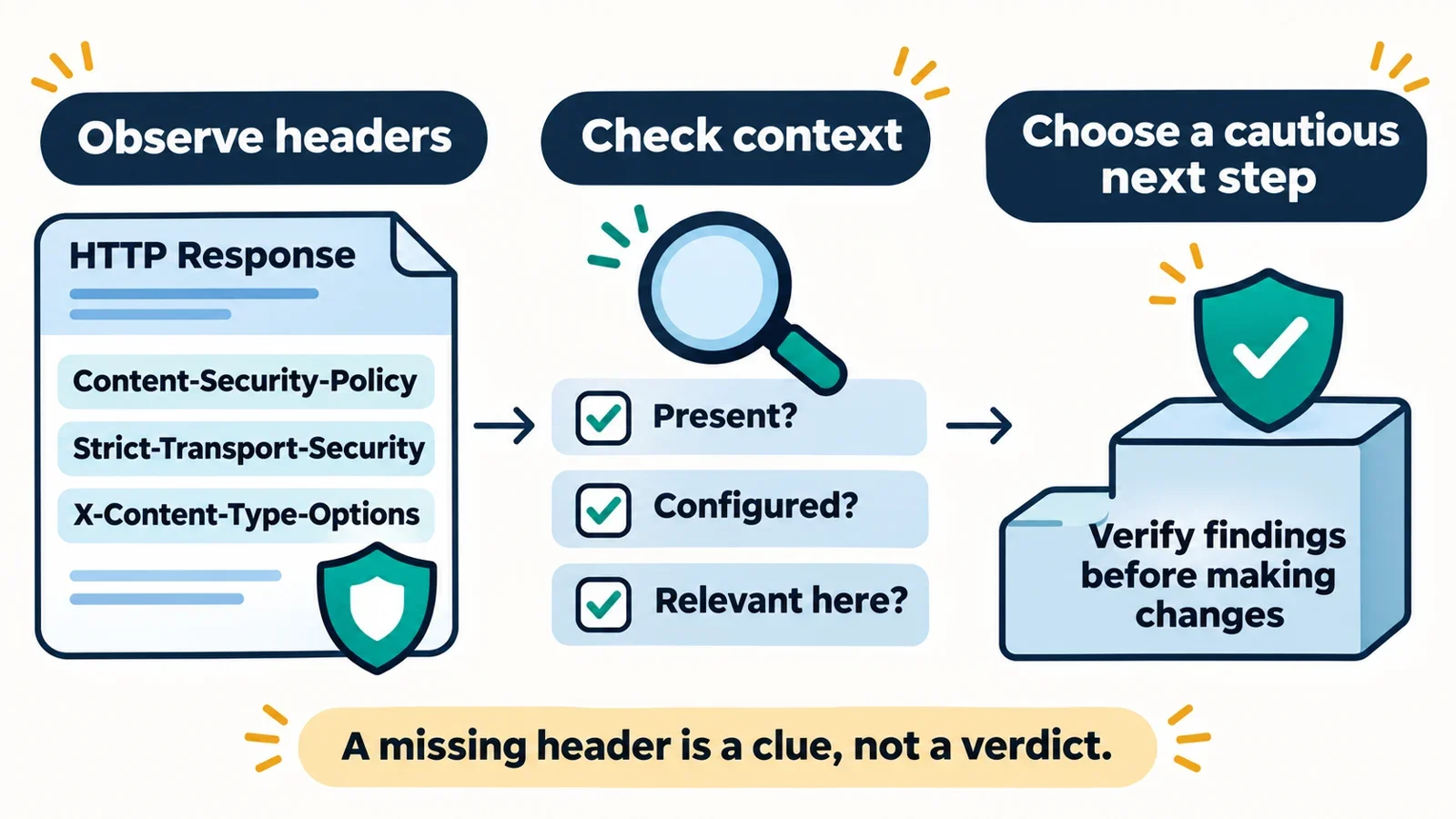
Security headers are pieces of information a website server sends with each page response. They can tell readers whether a site uses basic protective measures, but a single check does not prove that a website is safe now or in the future. This guide is designed for beginners who want to use sitecheckbench.top tools with confidence rather than guesswork. It explains what to enter into the security-header-check tool, what results to expect, how to use responsive preview for layout review, how branding works before report export, and how to separate observations from recommendations when preparing a client audit. Readers are encouraged to run live checks before sharing findings, because what a server returned at one moment may not represent its current or future configuration.
Security header check workflow
The security-header-check tool inspects security headers and selected directives returned by a server so the reader can make an informed configuration decision. The reader enters a public URL into the tool and submits it for review. After the check runs, the results bench shows which security headers were present or missing and what directives appeared in those headers. Readers should treat these results as a snapshot of server behavior at the time of the check.
A header that is present but misconfigured means the server sent the header, but its directives may not provide the intended protection. For example, a directive might be too permissive or missing entirely within a compound header value. The next step is not to assume the site is protected; instead, readers should record the exact header value, note the specific directive gap, and avoid making server configuration changes unless they have authority and verified guidance. Configuration advice, pricing, and availability are outside the scope of this guide and are not described here.
Readers can compare missing headers against their own priorities for the site under review. If several related headers are absent, that pattern may be worth documenting before any client discussion. If headers are present but appear weak, the documentation should capture the exact wording so a qualified reviewer can evaluate it later.
Before acting on any finding, consider these decision steps:
- Identify whether each relevant header is present, absent, or present with a directive that looks incomplete or overly broad.
- Copy the exact header value shown in the results bench rather than paraphrasing it.
- Separate observations from recommendations in any notes or client communication.
- Confirm who has authority to change server headers before proposing changes.
- Treat the check as one moment in time; repeat checks may produce different results if the server configuration changes.
If the reader plans to share findings with a client, the snapshot nature of the results means the report should label the observation time and avoid claiming ongoing safety or compliance. The page does not describe building the site, configuring headers, current pricing, availability, or service policies.
Responsive interface preview for layout review
The responsive-preview tool supports layout review across common viewport sizes. The reader enters a public URL to review its layout in common viewport sizes, with a direct new-tab link offered when embedding is blocked. This tool is separate from the security-header check and does not inspect headers or directives.
Readers should use responsive preview alongside header results when they need to communicate both technical and visual observations to a client. For example, after identifying missing security headers, a reader might check whether the page layout remains readable on mobile and desktop viewports before exporting a combined report. Responsive preview does not test functionality such as forms, menus, or interactive components, and it does not replace actual device testing.
Because embedding can be blocked by some sites, the new-tab link is an important fallback. Readers should verify that the preview loads fully before recording layout observations. If the page refuses to embed or open in a new tab, the reader should note that limitation in the report rather than inferring anything about the page design.
Practical workflow for combined checks
- Enter the target public URL into the security-header-check tool and record the headers returned at that moment.
- Open responsive-preview for the same URL and confirm that the viewport previews load completely.
- Note any embedding restrictions and use the new-tab link if needed.
- Record layout observations separately from header observations, avoiding conclusions about security based on appearance.
- Carry both sets of observations into the white-label report if client handoff is planned.
Verification questions before recording results
- Did the responsive preview load across the intended viewport sizes?
- Was embedding blocked, requiring the new-tab fallback?
- Are the layout notes limited to what is visible, without claims about interactive behavior?
- Have header observations been kept distinct from layout notes in the draft report?
Client handoff and report export
The white-label-report tool lets readers prepare a branded local report for client handoff. The report accepts brand or agency name, optional watermark, and optional recommendation; branding and recommendations remain in the browser tab. This means readers can enter their own or their client’s brand name, add a watermark if desired, and include an optional recommendation before generating the report.
Branding fields should be filled carefully. The brand or agency name identifies who prepared the report. The watermark is optional and can be used for visual ownership. The optional recommendation should clearly separate suggested next steps from factual observations about headers and layout. Readers should avoid stating that a recommendation is required by any policy unless the page explicitly states so.
What export methods the page supports depends on the current interface shown at sitecheckbench.top. Readers should check the export controls on the page before assuming a specific file format or delivery method is available. If export options are not visible or behave differently than expected, readers can copy observations manually into their own document rather than guessing at unsupported features.
Running live checks before sending a client audit is important because server responses can change between checks. A header observed yesterday might be different today. Live checks reduce the risk of sharing outdated information with a client.
Interpreting gaps and next steps
Security-header observations describe what headers the server returned at one moment and do not guarantee future configuration or safety. Readers should use this limitation as a grounding principle when writing reports. Observations are factual records of what was present, missing, or misconfigured at check time. Recommendations are suggestions about what might be worth reviewing next, not statements of mandatory requirements.
To turn gaps into a cautious plan, readers can follow these steps:
- Record each header found or missing, including exact directive text when visible.
- Note whether each header appeared strong, weak, or misconfigured based on the tool’s display.
- Separate recommended next steps from observations using clear headings in the report.
- Avoid promising that adding or changing a header will prevent specific threats, because the tool does not test attack resistance or ongoing safety.
- Recommend that a qualified administrator review any configuration changes before applying them.
A table in the report can help readers distinguish observation types. One column can list the header name, another can record the observed value or “not detected,” and a third can mark whether the item is an observation or a suggested next step. This separation helps clients understand what is measured versus what is proposed.
Readers should also consider using responsive preview when layout issues might affect how clients perceive the report’s subject page. Layout observations do not substitute for security findings, but they can provide helpful context in a broader site review.
Because security headers can change over time, readers should plan to re-run checks before final decisions are made. A single check result should not be used as the sole evidence for a long-term audit claim.