Guide Contents
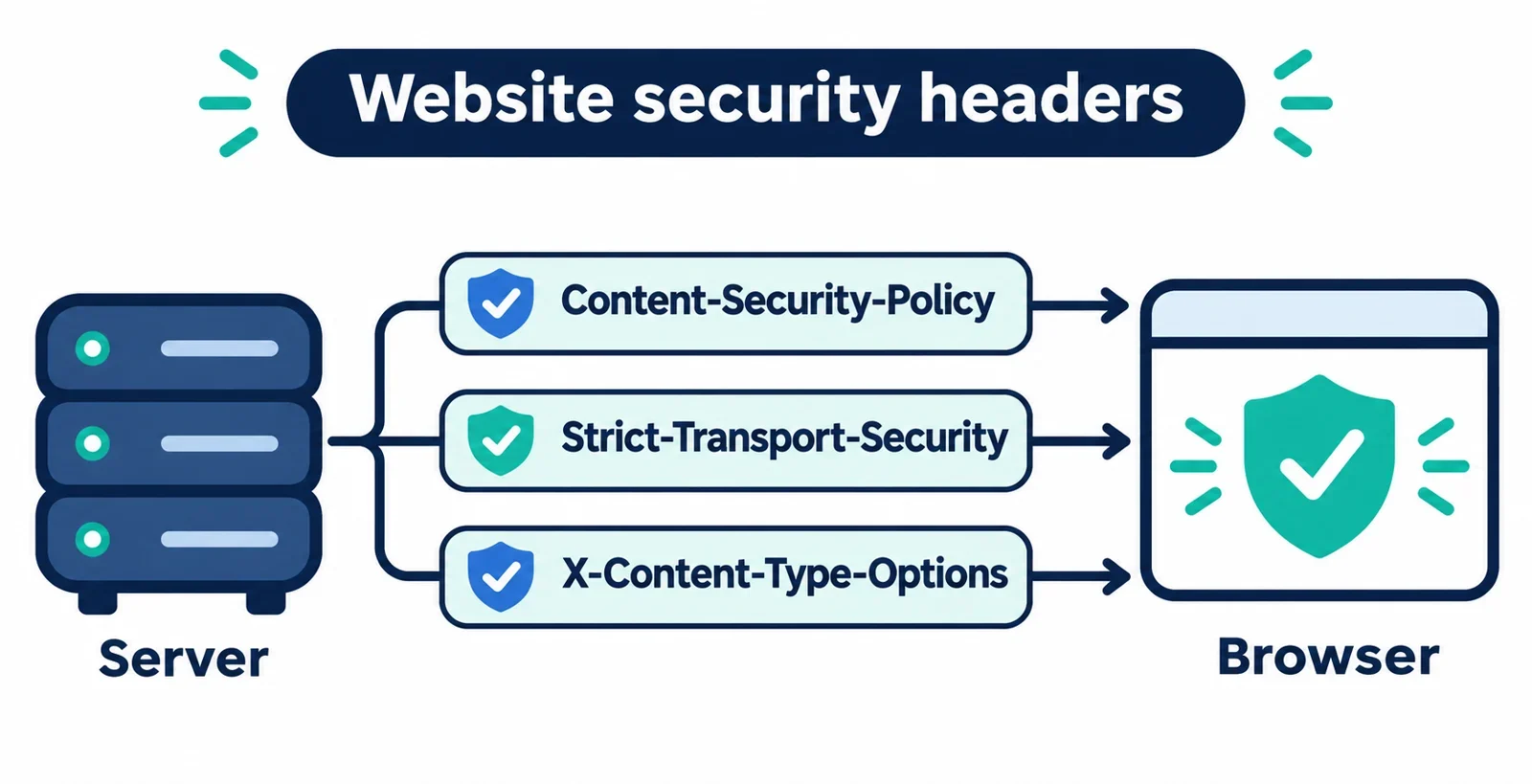
Security headers are instructions sent by a web server alongside a webpage that help browsers decide how to handle the site safely. They can tell a browser to use HTTPS only, refuse to frame the page, avoid guessing content types, limit information shared with third parties when links are clicked, and control access to device features such as cameras and microphones. For beginners running browser protection checks, these headers are useful because they make common exploitation techniques more difficult without requiring changes to visible page content.
This guide takes a practical approach: it explains what each common header does, how enforcement differs from report-only observation, why some headers depend on HTTPS, and how to turn raw audit findings into client-ready language. Brand consistency matters here because clients benefit from the same terminology, severity framing, and report structure across every audit. The workflow below supports confident decision-making while avoiding overstated conclusions about website security.
Browser Protection Tool Overview
A security header check inspects the instructions a website sends to a visitor’s browser through HTTP response headers. These headers guide how the browser enforces encrypted connections, which content sources are allowed, whether it should assume file types, how much referral information to share, and which powerful browser features may be used. The browser protection tool examines security headers and selected directives to help users make informed configuration decisions, rather than testing every possible website vulnerability.
The workflow typically begins when a user enters a website address into the tool. The tool requests the site and examines the response headers, then lists detected headers such as Strict-Transport-Security, Content-Security-Policy, X-Content-Type-Options, Referrer-Policy, and Permissions-Policy. It may also note headers that are missing or appear to use permissive values. The output supports decisions about which headers to add, tighten, or test in a non-enforcing mode before applying them site-wide.
For client reporting, an agency can summarize what was checked, which headers were found, and what each detected header is intended to do. Reports should describe observed behavior rather than declare that a site is secure or insecure. A header that exists but is loosely configured may still leave gaps, while a missing header does not by itself prove an active exploit. Separating header observation from a full vulnerability scan helps clients understand the scope of the check.
Brand consistency enters the workflow when reports use the same structure, terminology, and severity language across clients. Agencies can prepare templates that explain each header in plain language, show before-and-after examples, and recommend staging changes before production deployment. Because supported headers and report formats can change over time, users should confirm the current capabilities of any specific checking tool through its official documentation or interface.
What the tool input and output can show
The primary input is a website address. The output can include detected response headers, their values, missing headers identified by the check, and notes about permissive or unclear directives. These results are observations about header presence and configuration, not a complete statement about overall site security.
How headers help browsers determine intended functionality
Security headers help browsers determine intended website functionality and make exploitation more difficult. For example, a header can tell the browser to use HTTPS only, allow content only from trusted sources, or restrict access to device features. These instructions reduce the risk of protocol downgrades, unwanted content execution, and unauthorized feature access.
Planning a client report
Agencies can plan a client report by defining the audit scope, recording headers before and after changes, explaining findings in plain language, and avoiding claims that exceed the evidence. A useful report distinguishes observed headers from verified vulnerabilities and recommends verification steps rather than promising protection against all threats.
Questions to consider before acting on results
- Did the tool inspect live HTTPS responses or cached responses?
- Which headers are present, missing, or set to permissive values?
- Is the report describing observations or claiming vulnerability status?
- Have changes been tested in a staging environment before production deployment?
Users should verify tool capabilities and supported headers through official documentation because interfaces and checks can change over time.
Core Security Headers and Policies
Security headers give browsers instructions that shape how a website is loaded and protected. Understanding each header’s purpose supports better audit decisions and clearer client communication.
Strict-Transport-Security
Strict-Transport-Security, commonly called HSTS, instructs browsers to use HTTPS for connections to a site. This helps prevent protocol downgrade attacks where an attacker attempts to move traffic from an encrypted connection to an unencrypted one. Because this header tells the browser to enforce HTTPS for future visits, it should only be sent over HTTPS responses. Sending it over HTTP would expose the instruction through an insecure channel and could create confusion about which connections are meant to be encrypted.
Content-Security-Policy
Content-Security-Policy controls which sources browsers may load for scripts, styles, images, frames, and other resources. Limiting trusted sources can reduce exposure to injection attacks, such as malicious scripts running in a page. A policy can be enforced or run in report-only mode. Enforced mode blocks disallowed content according to the policy, while report-only mode sends violation reports without blocking anything. Report-only mode is useful during testing because administrators can observe potential breakage before switching to enforcement.
X-Content-Type-Options
Setting X-Content-Type-Options to nosniff tells browsers not to assume a content type. This prevents browsers from interpreting a resource as a different type than the server declared, reducing the risk that a disguised file is executed as code.
X-Frame-Options
X-Frame-Options can defend against clickjacking attacks by controlling whether a page can be embedded inside a frame on another site. Restricting framing prevents malicious pages from wrapping a target site and tricking users into interacting with hidden elements.
Referrer-Policy
Referrer-Policy tells browsers how much information to include in the Referer header when users navigate away from a site or click links to third-party services. A stricter policy can limit the URL and path details shared with external destinations, while a more permissive policy may be appropriate when referral traffic needs to be visible to partners.
Permissions-Policy
Permissions-Policy allows control of browser features, such as denying access to the webcam, microphone, geolocation, or other sensitive device capabilities. This header helps site owners restrict features they do not intend to use, reducing the attack surface available to scripts running in the browser.
Selecting directives and testing changes
Each header supports multiple directives, so the exact configuration depends on the site’s functionality and audience. Before applying changes broadly, review how directives interact with embedded content, third-party scripts, authentication flows, and analytics. Test changes in a staging environment or report-only mode where available, then monitor browser behavior and error reports before enforcing policies on production traffic.
Interpreting Observations and Limits
A security header check reports what headers a server includes in its HTTP responses and whether those headers contain specific directives. It does not prove that a website is fully protected, nor does it function as a vulnerability scan. Readers should treat each observation as one input to a broader configuration review rather than final confirmation of security status.
A header can be present but incomplete. For example, a Strict-Transport-Security header might appear without directives such as max-age, includeSubDomains, or preload. Without those directives, browsers may not apply the intended protection consistently across subdomains or after the policy expires. Similarly, a Content-Security-Policy may be present but written too permissively, allowing inline scripts or external resources that the site owner intended to block.
A header can also conflict with the delivery method. Strict-Transport-Security should be sent only over HTTPS responses. Sending it over HTTP means browsers will not honor the instruction, because the header itself arrives over an unencrypted channel where it cannot be trusted. This kind of mismatch is easy to miss when reviewing headers in isolation.
Observation differs from testing. A header check confirms configuration details that the server advertises; it does not actively probe for injection flaws, authentication weaknesses, server misconfigurations, or client-side exploits that exist independently of headers. A site can pass a header inspection while still exposing other risks.
Reports should state what was observed, note any missing or incomplete directives, and avoid language that implies complete protection. Phrases such as "header detected" or "directive present" are more accurate than "site secured." Client-facing summaries can separate observed headers from recommended next steps, such as verifying HTTPS enforcement across all subdomains, reviewing CSP allowlists, or commissioning separate vulnerability testing.
Teams preparing audit findings should document which headers were checked, which were missing, and which directives were absent or inconsistent. This distinction helps clients understand the scope of the observation and plan follow-up work without overstating what the check established.