Contents
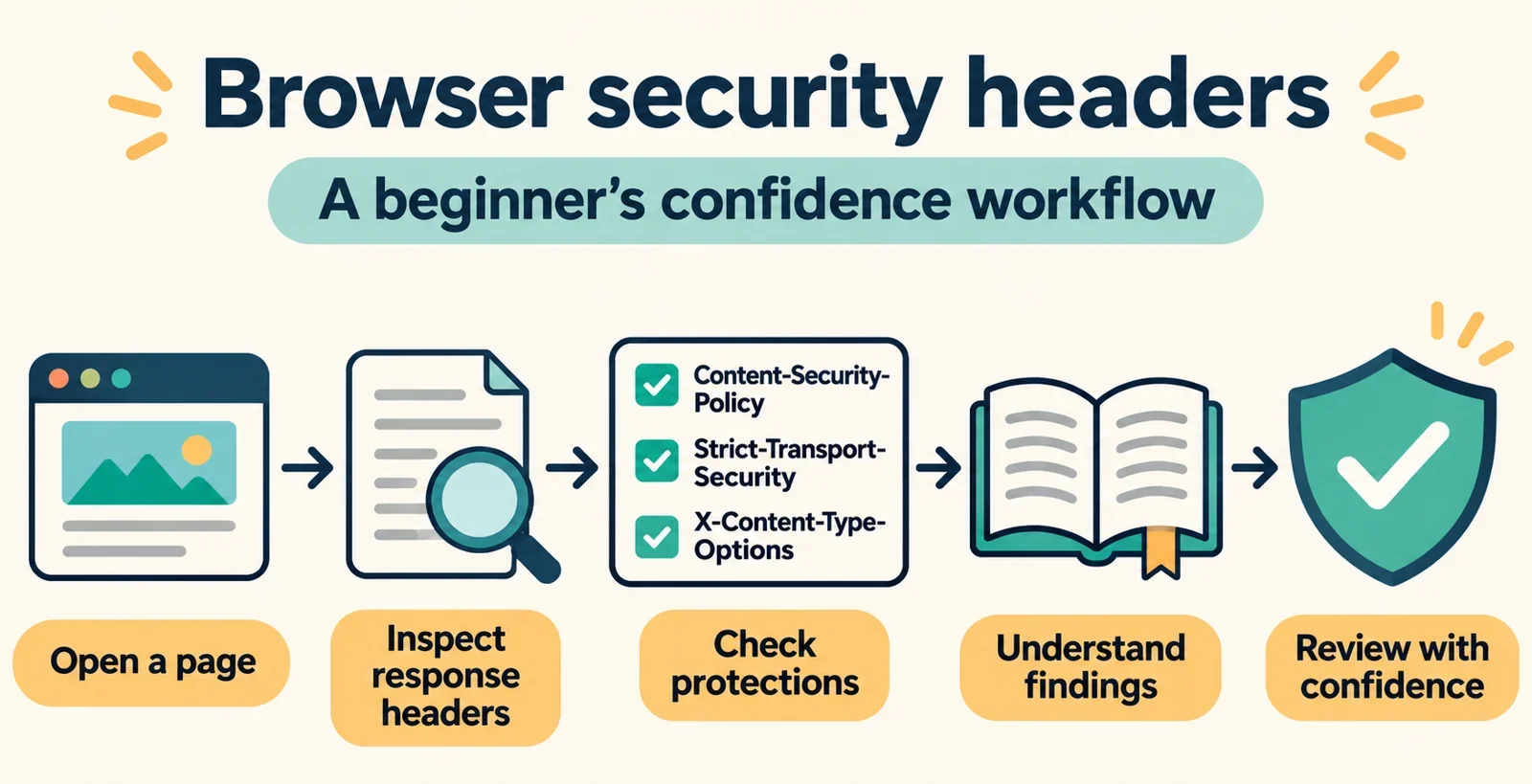
Security headers tell browsers how to handle a website defensively, such as whether connections must use HTTPS, which content sources are trusted, and whether pages can be embedded in frames. Reviewing these headers helps beginners spot weak configurations without assuming that a header’s presence means strong protection.
This workflow covers HSTS parameters and preload considerations, CSP directives and reporting, frame protections including X-Frame-Options and frame-ancestors, and content-type verification. It also provides observation checks, verification steps, and reporting boundaries so readers can document findings consistently.
Understanding Browser Protection Headers
Security headers are instructions sent by a web server inside HTTP responses that tell a browser how to handle a page, which origins to trust, whether connections should be encrypted, and how to restrict embedded content. They do not replace server-side input validation or application authentication, but they add a defensive layer that can reduce risks such as protocol downgrade attacks, malicious script injection, clickjacking, and MIME-type confusion.
A beginner review should first confirm whether a header exists, then inspect its value because presence alone does not prove a useful configuration. A header may be present but set too narrowly, too broadly, or with directives that weaken its intended protection. Reviewers should record both the header name and the exact directive string rather than assuming that a visible header means the site is fully protected.
Browser security checks can examine headers such as Strict-Transport-Security, Content-Security-Policy, X-Frame-Options, frame-ancestors, and X-Content-Type-Options. Each header has a different scope. HSTS tells the browser to use HTTPS for future connections. CSP controls which scripts, styles, images, frames, and other resources may load and where violations can be reported. Frame-related directives limit whether a page can be embedded in another site’s frames. Content-type directives can prevent the browser from interpreting a response as a different MIME type than declared.
Because browsers enforce headers differently and may ignore or override some directives, reviewers should verify the live response headers rather than relying on documentation or configuration files alone. A practical workflow begins by retrieving headers for the target URL, listing every security-related header found, comparing each directive against the site’s stated security goals, and noting missing headers as potential gaps without declaring a vulnerability solely from absence.
HTTP Strict Transport Security (HSTS)
HTTP Strict Transport Security tells a browser to contact a site only over HTTPS after the browser has received a valid HSTS header from that site. The header instructs the browser to convert future HTTP addresses for the site into HTTPS requests automatically, helping prevent downgrade attacks and accidental use of unencrypted connections.
A beginner review can start by checking whether an HTTPS response includes the Strict-Transport-Security header. If the header is present, inspect its directives rather than assuming protection is complete. The most important directive is max-age, which specifies how many seconds the browser should remember the HSTS policy. A missing or very short max-age means the browser will forget the policy quickly, so the protection may not persist across sessions.
The includeSubDomains directive extends the HSTS policy to subdomains of the site. Without it, a subdomain reached over HTTP may not receive the same strict transport requirement even when the main domain enforces it. During a review, verify whether the header covers subdomains if the site serves content from multiple hostnames.
The preload directive indicates that the site owner wants the domain included in browser HSTS preload lists. Preloading can protect visitors on their first connection, before they have ever received the header directly. However, the presence of a preload directive in a response header does not by itself confirm that browsers actually list the domain. A reviewer should check the relevant browser preload list or official preload submission status separately.
To verify enforcement, compare behavior across contexts: whether the header appears on HTTPS responses, whether HTTP requests redirect to HTTPS, whether max-age has a durable value, whether subdomains are included, and whether preload status matches the site’s stated intent. A header that is present but misconfigured may offer much less protection than it appears to.
Because sites can change headers at any time, record the header value, domain, and observation time as part of the review evidence. If you cannot confirm preload inclusion from an authoritative browser source, describe the header as declared rather than confirmed as preloaded.
Content Security Policy (CSP) and Directives
Content Security Policy (CSP) lets a website tell the browser which content sources are trusted and what should be blocked or reported. The policy is delivered through an HTTP header, commonly Content-Security-Policy, and consists of directives that control different resource types such as scripts, styles, images, frames, and connections.
Reviewing CSP implementation
When inspecting a site, check whether a CSP header is present and whether it applies to the page being tested. A missing header means the browser receives no declared content restrictions from that response. A present header does not by itself guarantee strong protection; the directives and source lists inside it determine the actual defensive value.
Look at each directive individually. default-src acts as a fallback for many resource types when a more specific directive is absent. script-src controls JavaScript sources and is often the most important directive for preventing cross-site scripting. style-src, img-src, connect-src, frame-src, and child-src govern other resource categories. If a directive uses a wildcard such as *, it allows resources from any origin, which substantially weakens the policy.
High-risk directive patterns
Unsafe-inline permits execution of inline scripts and styles, including code embedded directly in HTML. Because attackers often inject inline code through injection vulnerabilities, unsafe-inline in script-src or style-src can allow malicious code to run unless a nonce or hash mechanism is also used. Wildcard sources similarly broaden trust to every origin, making it easier for an attacker to load resources from an attacker-controlled domain.
Other patterns to examine include unsafe-eval, which permits dynamic code evaluation through functions such as eval(), and data URI schemes, which can be used to embed small scripts or images directly in URLs. These are not automatically unsafe in every context, but they deserve close review because they expand the conditions under which content can execute or be rendered.
Reporting mechanisms
CSP includes a reporting feature that sends violation reports to an endpoint specified by report-uri or the newer report-to directive. When the browser blocks content or detects a policy violation, it can send a JSON report describing what was blocked, which directive was violated, and the document involved.
Use report-only headers during testing if you want to observe violations without enforcing blocks. The Content-Security-Policy-Report-Only header monitors policy behavior while allowing the page to continue loading. This can help a reviewer confirm whether a proposed policy would break legitimate resources before switching to enforcement mode.
Verifying whether a policy is enforced
A reviewer can inspect response headers using browser developer tools, command-line HTTP clients, or security-header tools. The network panel shows whether Content-Security-Policy or Content-Security-Policy-Report-Only was sent, and the console often logs CSP violations. Comparing the header against the resources actually loaded on the page helps confirm whether the policy matches observed behavior.
If a page loads a script from an origin not listed in script-src, either the directive is missing, the source list is too permissive, or the resource was allowed through a fallback such as default-src. If inline scripts execute despite unsafe-inline being absent, check whether nonces or hashes are present and correctly matched.
Practical review questions
- Is
Content-Security-Policypresent on the response, or onlyContent-Security-Policy-Report-Only? - Does
script-srcincludeunsafe-inlineor wildcard sources without nonces or hashes? - Are reporting endpoints configured, and are violation reports being received?
- Which resource types lack dedicated directives and therefore rely on
default-src? - Does the enforced policy match what actually loads in the browser?
A CSP review is complete only when the header presence, directive values, source lists, reporting configuration, and actual browser behavior have all been compared. A present header is evidence of configuration, not evidence of safety.
Frame Protections and Content-Type Options
Frame-protection headers tell browsers whether a page may be embedded inside another page, which matters because unwanted embedding can enable clickjacking and user-interface deception. Content-Type options tell browsers whether to trust a server-declared media type or risk interpreting a file differently, which matters because MIME confusion can turn a harmless upload into executable content. Neither header presence alone guarantees strong protection; the specific directive and accompanying policy matter.
X-Frame-Options
X-Frame-Options accepts three common directives: DENY, SAMEORIGIN, and ALLOW-FROM. DENY blocks the document from loading in any frame regardless of the embedding page’s origin. SAMEORIGIN permits embedding only when all ancestor frames share the same origin as the framed document. ALLOW-FROM historically allowed a specified origin, but browser support is uneven and CSP frame-ancestors is generally preferred for modern policy review.
A missing X-Frame-Options header does not automatically mean a site is vulnerable if a comparable CSP frame-ancestors policy is present, but reviewers should not assume equivalence without checking both headers.
CSP frame-ancestors
The Content Security Policy frame-ancestors directive specifies which origins may embed the current document in a frame, iframe, object, or embed element. When supported, frame-ancestors replaces legacy X-Frame-Options behavior and can express more granular source lists. If both headers are present, compliant browsers typically prioritize frame-ancestors over X-Frame-Options.
A permissive frame-ancestors value such as wildcard or an unexpected external origin widens the embedding surface. Reviewers should record whether frame-ancestors exists, which sources are allowed, and whether inheritance or fallback behavior is documented by the site owner.
X-Content-Type-Options
X-Content-Type-Options with the value nosniff instructs browsers to honor the declared Content-Type and avoid MIME-type sniffing. This reduces the chance that a stylesheet or script is interpreted as another resource type when the server declaration and file contents disagree. The header does not sanitize content, validate uploads, or replace a secure content-type configuration; it only limits one interpretation path.
Evidence recording
Record each header name, directive value, and whether the check came from a live response, cached response, or preload/source reference. Note whether frame-ancestors and X-Frame-Options appear together and which one applies under the browser being tested. For content type, note the declared value and whether nosniff is present, but avoid concluding that nosniff alone makes the response safe.
When evidence is unavailable, treat the configuration as unverified rather than secure or insecure. Ask the site owner to confirm the intended embedding policy, declared media types, and whether header changes are deployed across all relevant subdomains and paths.
Workflow and Evidence Recording
A structured workflow turns header inspection into repeatable, reviewable evidence rather than memory-based impressions. For each target URL, start by identifying which protection headers are present, then test whether they are enforced and record the results before drawing conclusions.
Observation checks
Check the HTTP response headers for HSTS, Content-Security-Policy, X-Frame-Options, and relevant content-type directives. Note whether each header appears in the initial response, whether redirects introduce additional headers, and whether subresources inherit or override the policy. Record the exact header values, not just whether a header exists. A present header does not guarantee effective protection; a weak max-age, missing includeSubDomains, or permissive directive can leave exposure unchanged.
Use browser developer tools, command-line request tools, or security-header scanning services to capture responses. Compare results across HTTP and HTTPS, www and non-www variants, and representative subpages where behavior may differ.
Verification steps
For HSTS, verify enforcement by confirming a valid max-age and checking whether the domain appears on preload lists where applicable. For CSP, inspect directives such as default-src, script-src, and object-src, and identify unsafe-inline or wildcard sources that weaken the policy. For frame protections, determine whether X-Frame-Options uses DENY or SAMEORIGIN, and whether CSP frame-ancestors is present as a modern complement or replacement. For content-type options, verify that nosniff is set and that responses declare appropriate MIME types.
Re-test after any configuration change, and compare header output before and after to confirm the intended effect.
Evidence recording
Create a record for each reviewed URL that includes the date, URL, headers observed, tool or method used, pass or fail status for each check, and notes about conditions such as redirect chains or authenticated versus unauthenticated access. Save full header dumps when possible so a second reviewer can reproduce the findings. Separate observed facts from interpretation: state what the header says, then state what that means for protection.
Reporting boundaries
Define what is in scope before recording. A header review covers transport security, content restrictions, framing behavior, and MIME handling as visible from public responses. It does not cover server configuration files, backend code, third-party integrations not reflected in response headers, or vulnerabilities outside header behavior. State clearly what was tested, what was not tested, and any limitations such as sampling only certain pages or being unable to inspect authenticated sessions.
Reader questions
- How do you verify whether HSTS is enforced via headers or preload lists?
- What are the risks of using unsafe-inline or wildcard sources in a Content Security Policy?
- How does frame-ancestors in CSP replace legacy X-Frame-Options directives?
- What does a present security header fail to guarantee about its configuration?
End each review with a short summary that lists confirmed protections, identified gaps, and recommended verification steps rather than remediation instructions beyond confirming header values.