Guide contents
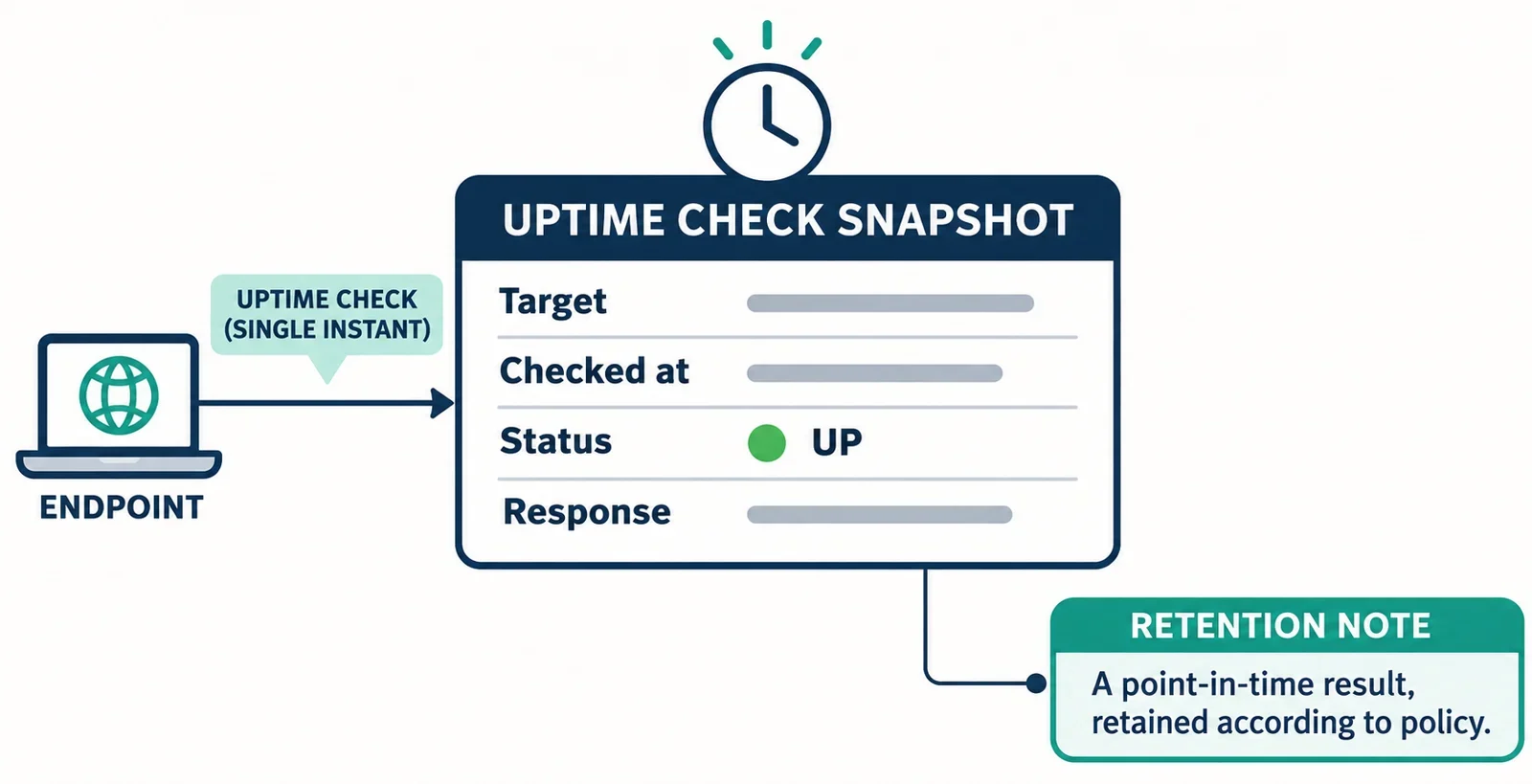
A point-in-time uptime check is a single availability snapshot: one request issued at one moment to one publicly accessible address, evaluated against rules you choose. It can tell you whether the target responded during that short window, but it cannot tell you whether the site was available before the check, whether it remains available after the check, or whether visitors everywhere experience the same result.
This guide uses Site Check Bench’s uptime-check capability as the practical example. It explains what you supply as input, what the tool returns, what one passing or failing check actually supports, and how to build a beginner confidence workflow that states its limits before acting on results. The outline compares one-shot checks with continuous monitoring, which sends repeated requests from multiple locations to track availability over time. The goal is not to replace monitoring, but to help you interpret a single observation without overclaiming what it proves.
A cover illustration appears near the opening. It is an AI-generated conceptual diagram of an uptime-check snapshot, not a photograph of a real interface or a live measurement.
What a point-in-time uptime check actually measures
A point-in-time uptime check measures one observable event: whether a request to a publicly accessible URL or cloud resource receives a response that matches your specified criteria at the moment the check runs.
The result is an availability snapshot. It reflects what happened during that single request interval and does not measure user experience, full page loading, JavaScript execution, search-index status, or security posture. If the target is behind authentication, a default unauthenticated check may fail even though authorized users can reach the site successfully.
Public uptime checks send periodic HTTP, HTTPS, or TCP requests from multiple locations around the world to test availability of publicly accessible URLs and cloud resources. A Site Check Bench check follows the same principle but is typically run on demand rather than on a continuous schedule. The observable output is therefore tied to one location, one timestamp, and one request attempt unless you deliberately repeat or broaden the check.
Because it is a snapshot, a passing result proves only that the target answered during that window. It does not prove consistent uptime, fast loading for real visitors, or correct behavior for authenticated sessions. Likewise, a failing result proves only that this one request did not meet the criteria; it does not prove a site-wide outage.
Before acting on any result, identify exactly what the check evaluates: the exact URL, the response rule, the issuing location, and whether the observation is timestamped and retained for comparison.
User inputs for Site Check Bench uptime checks
When you run a Site Check Bench uptime check, you supply the address the tool will test and the rule used to judge success. The minimum inputs generally include:
- Target URL or address: the publicly accessible HTTP, HTTPS, or TCP endpoint to probe.
- Expected response criteria: typically an HTTP status-code range, such as 2xx, plus any required response content if you configure content matching.
- Optional check context: location, request interval, or retry behavior, depending on the interface options presented.
Because uptime checks do not load page assets or run JavaScript, you do not supply browser scripts, login credentials, or asset lists as part of a basic uptime check. Default configuration does not include authentication, so if your page requires a logged-in session, the check sees only what an unauthenticated request can reach.
Before submitting, verify the exact URL and response rule that this single check will evaluate. A typo in the protocol, host, path, or port can produce a failure that says nothing about the actual service’s health.
Outputs and where they appear
After the check runs, Site Check Bench returns an observation that includes its result, timestamp, and context. Where and how long that observation is retained depends on the interface you use and any account or report settings in effect.
The observation typically reports whether the status code matched the specified criteria, whether required response content was present, and basic response measurements such as latency, body size, and caching headers. These measurements describe the network response, not browser rendering. They are not Lighthouse scores, Core Web Vitals, or browser load-time tests, and they should not be compared to those metrics.
If the tool offers a white-label report or stored history, the observation may appear there for later comparison. If no retention or history feature is documented for your workflow, treat the result as a one-time view and record the timestamp and outcome yourself if you need to compare it with future checks.
Before relying on an output, confirm whether the snapshot is timestamped and whether it is retained long enough for your follow-up comparison.
Decisions supported by one passing check
A passing uptime check supports narrow, time-bound decisions. It tells you that, at the moment the check ran, the target address returned a response matching your criteria. By default, HTTP and HTTPS uptime checks only verify that the status code is in the 2xx range and do not inspect the body unless you add content rules.
From one passing check, you can reasonably:
- Confirm the target was reachable from the check location at that timestamp.
- Use the result as one data point in a broader availability picture.
- Proceed with planned non-critical work, while noting that the check was a single snapshot.
You should not conclude that the site is fully operational, that all pages work, that JavaScript-driven features load, that authenticated users can sign in, or that performance is acceptable for visitors. A 2xx response proves the server answered successfully for that one request; it says nothing about the rest of the site, page assets, or user-facing behavior.
A passing check is useful as a baseline, not as a health certificate.
Decisions supported by one failing check
A failing check should be treated as evidence requiring confirmation, not as grounds for immediate escalation or an outage declaration. Because default checks do not load assets or run JavaScript and do not include authentication, a failure may reflect the check configuration, network path, or momentary conditions rather than a true service outage.
Before treating a failure as an outage, take these confirmation steps:
- Re-check the exact URL and response rule for typos.
- Confirm the check was issued from the expected location.
- Repeat the check after a short interval to see whether the failure persists.
- Try the target from a different network or browser if possible, to distinguish a check-side issue from a site-side issue.
- Check whether the target requires authentication or blocks requests from the check location.
Only after confirmation should you escalate, notify a site owner, or change deployment plans. A single failure is a signal to investigate, not a verdict.
Beginner confidence checklist
Use this sequence when interpreting a Site Check Bench uptime-check result:
- Define the check before running it. Write down the exact URL, response rule, issuing location, and timestamp. Ask what exact URL and response rule this single check will evaluate.
- Run the check once and capture the observation. Save the result, timestamp, and context. Confirm whether the observation is timestamped and retained for comparison.
- Interpret the result narrowly. A passing check means one successful response at one time. A failing check means one unsuccessful response at one time. Neither proves continuous availability or unavailability.
- Identify what the check does not cover. Remember that uptime checks do not load page assets or run JavaScript, default configuration excludes authentication, and response measurements are not browser performance scores.
- Decide on follow-up. For a pass, consider repeating from a second location or interval if you need broader confidence. For a fail, confirm before escalating and repeat to rule out transient issues.
- Document the limit. Note that the result is a point-in-time snapshot and state what further evidence you would need before acting on it.
- Plan ongoing monitoring if availability matters. One-shot checks complement continuous monitoring but do not replace repeated requests from multiple locations over time.
This checklist keeps your conclusions proportional to the evidence a single check can provide.